

Key Takeaways
- Flight price alerts notify you when fares on a specific route change, not when the absolute lowest price exists.
- Alerts are only as current as the data feed — there can be a lag between a fare drop and your notification.
- Setting alerts for flexible date ranges generally surfaces more useful opportunities than fixed-date monitoring.
- A price that triggers an alert may still not be a genuine deal without historical fare context.
- Alerts work best as one tool in a broader strategy, not as a sole booking method.
Flight Price Alert
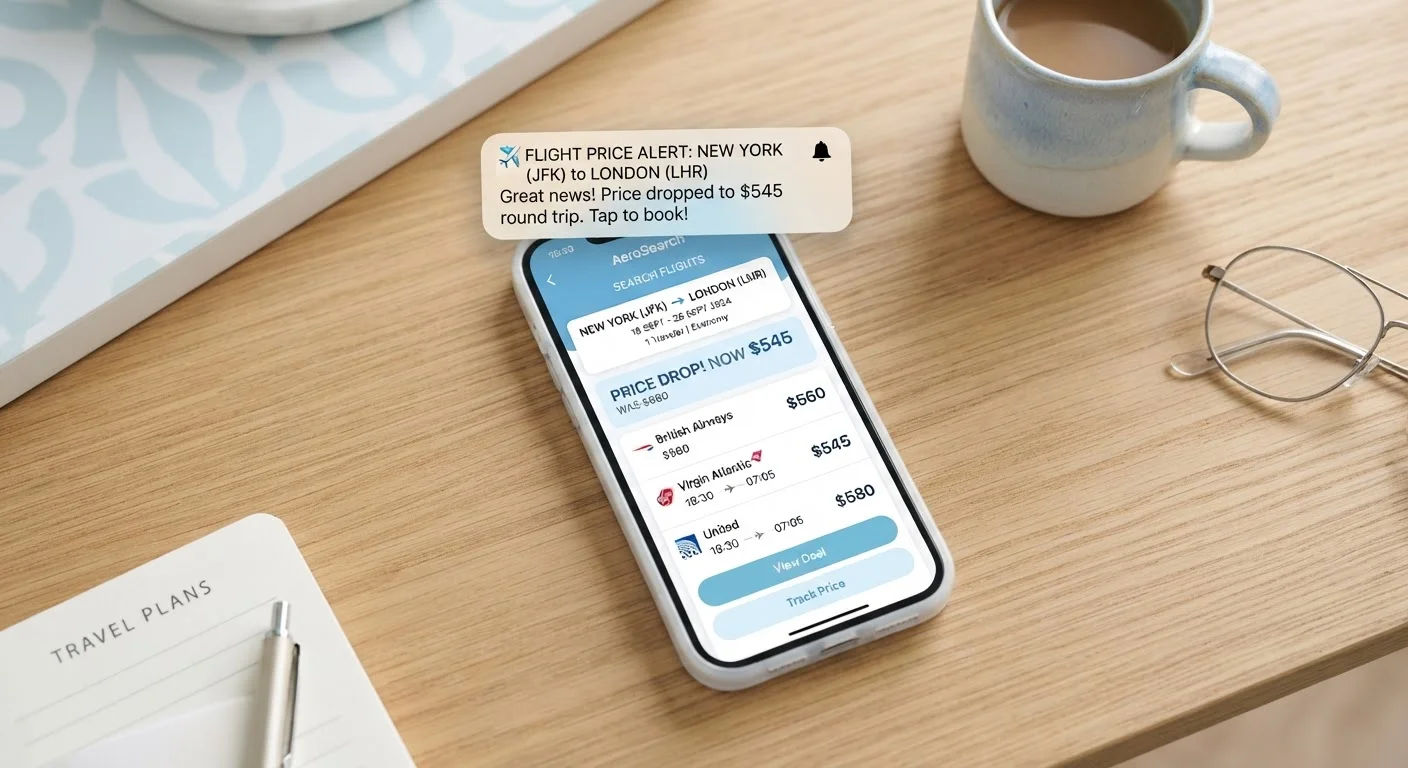
A flight price alert is an automated notification that tells you when the fare for a specific route changes — usually when it drops below a threshold you set or a baseline the tool tracks. You sign up through a flight search platform or app, specify your route and travel dates, and the system monitors fares on your behalf. When a qualifying price change is detected, you receive an email, push notification, or in-app message.
Most alert tools pull fare data from Global Distribution Systems (GDS) or airline APIs at regular intervals — not in real time. The gap between a fare change and your notification can range from minutes to several hours depending on the platform.
How Flight Price Alerts Actually Work
When you set a flight price alert, you are essentially asking a piece of software to watch a route on your behalf. The tool periodically checks available fares — pulling data from airline systems or aggregators — and compares the current price against a reference point, either a threshold you defined or a baseline the platform established when you created the alert.
If the price moves in a meaningful way, the system queues a notification. That notification reaches you via email or app push, usually with a link back to the fare. From there, you go and book it yourself — the alert does not hold a seat or guarantee anything.
Understanding this sequence matters because it exposes the key limitation: the data has a timestamp. Fare updates are not instantaneous. Platforms refresh their pricing feeds on different schedules, and airline inventory can shift rapidly. A fare that triggered your alert may have sold out, or the price may have already moved again, in the time between detection and delivery. This is worth keeping in mind before you plan your schedule around notification timing.
Alerts Do Not Reserve Seats
Receiving a price alert does not hold inventory or lock in a fare. Airline ticket pricing and seat availability can change between the moment an alert is triggered and the moment you complete a booking. Always confirm the current price and availability when you land on the booking page, and do not assume the notified fare will persist.
What Makes an Alert Actually Useful
The value of a price alert depends heavily on how you set it up and what you do with the notification when it arrives.
Route specificity matters. Alerts set for a single rigid date are monitoring a narrow slice of inventory. Broader monitoring — flexible dates, or even just tracking a route without fixed travel days — surfaces more movement and gives you more genuine options to evaluate.
The alert is a signal, not a verdict. A notification telling you a fare has dropped only means it is lower than before. It does not confirm you are looking at a historically low price for that route. To make that judgment, you need fare history context. Understanding how price history tools work can help here — see our explainer on price history tracking for more on reading those patterns.
Coverage gaps are real. Many low-cost carriers distribute fares directly rather than through the systems third-party alert tools use. If you are monitoring routes where budget airlines compete, check those carriers' own sites separately. Our guide to hidden costs in budget airfares explains why the headline fare you see in an alert also may not reflect the final price you pay.
Hours
Typical lag between fare change and alert delivery
Most third-party flight tools refresh pricing data periodically rather than in real time, meaning a notified fare may no longer be available when you check.
~30%
Share of US airline seats sold directly by carriers
A meaningful portion of airline inventory, particularly from low-cost carriers, is distributed outside the aggregator systems that most alert tools rely on.
When to Trust the Alert — and When to Pause
Not every notification deserves immediate action. A healthy habit is to treat an alert as a prompt to investigate rather than a command to book. When one lands in your inbox, ask a few quick questions before clicking through:
- Is the displayed price still live when I search right now?
- Does this fare fit my actual travel window, or am I rationalising a trip I had not planned?
- Have I checked whether additional fees — baggage, seat selection — would change the real cost significantly?
- How does this price compare to what I have seen on this route over the past few weeks?
If you can answer those questions comfortably, you are in a much stronger position to decide. If the fare looks compelling but you are uncertain about value, consider using multiple flight search tools to cross-reference — different platforms index fares differently and may show alternatives the alert tool missed.
Price alerts are genuinely useful when used as part of a broader approach to booking. Experienced travelers often combine them with flexible date searches, nearby-airport checks, and other strategies covered in our piece on fare-finding strategies frequent travelers use. On their own, alerts are a convenience — one input among several, not a shortcut that replaces judgment. For a broader look at what makes a deal signal worth acting on, see deal signals worth paying attention to.
Set Alerts Early and Check Often
The earlier you set a price alert relative to your travel dates, the more fare movement you will observe — giving you better context for what counts as a meaningful drop. Revisit your alerts actively rather than waiting passively; combining periodic manual checks with automated notifications tends to produce better results than relying on notifications alone.